Asger Risom

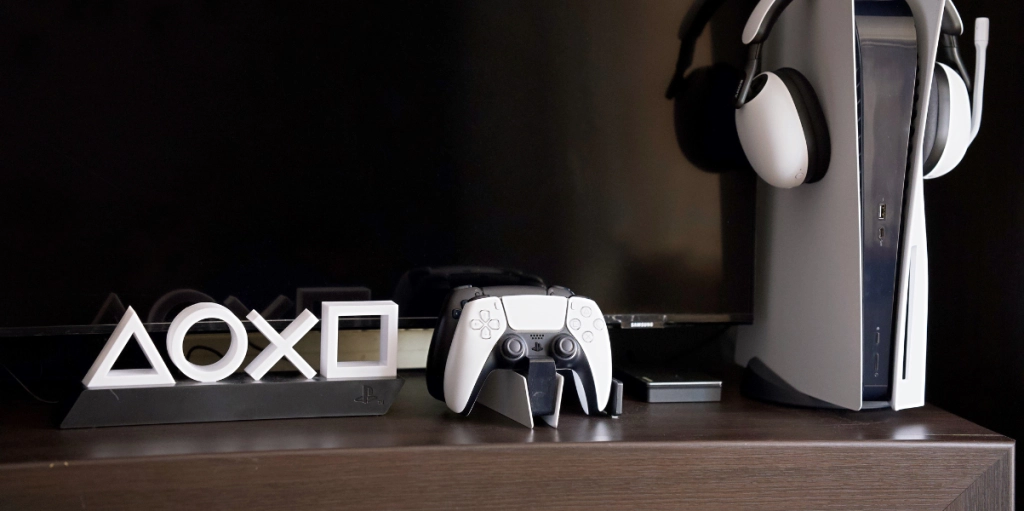
PS5 Pro delivers stronger upscaling, 4K 120Hz and VRR support on compatible TVs, and a 2TB built-in SSD, though massive game sizes still test long-term storage. Buyers get the best value by checking HDMI 2.1 TV support and planning storage around large installs.


PlayStation 5 Pro pairs upgraded graphics, AI upscaling, and a 2TB NVMe SSD with support for 4K at 120Hz and Variable Refresh Rate on compatible TVs, as detailed in BGR’s PS5 Pro TV guide and Tom’s Hardware’s PS5 SSD guide. For buyers, unlocking the console’s high-frame-rate features depends heavily on your television’s HDMI 2.1 ports and panel refresh rate. Meanwhile, giant modern game downloads mean even a 2TB drive can fill up fast if you keep several blockbuster titles installed at once.
HDMI 2.1 ports and 120Hz panels unlock high-frame-rate play
Getting the most out of PS5 Pro starts with checking whether your television has a true HDMI 2.1 port, a native 120Hz panel, and Variable Refresh Rate support. Without those display capabilities, a PS5 Pro falls back to standard output limits set by your screen. Buying a Pro model mainly for 120Hz or VRR makes far more sense when your TV can actually show those modes.
If you already play on a solid 4K 60Hz TV, PS5 Pro can still improve image clarity and frame-rate stability in supported games. Still, a 60Hz display caps refresh rates no matter how strong the console hardware is behind it. Buyers upgrading a TV alongside the console get the biggest visual payoff from 4K, HDMI 2.1, 120Hz, VRR, and strong HDR.
Check your TV’s manual or settings menu before assuming every HDMI port carries full 120Hz and VRR bandwidth. Many TVs reserve high-bandwidth gaming features for specific numbered ports and require Game Mode or enhanced HDMI settings turned on. Confirming those settings prevents paying extra for features your current setup leaves off.


A 2TB SSD helps now, but huge installs still add up
PS5 Pro ships with a 2TB built-in SSD, giving buyers noticeably more room out of the box than earlier standard or digital PS5 models. System software reserves part of that capacity, and modern flagship games easily swallow well over 100GB to 200GB each. Keeping a large rotation of big games installed can still push you toward storage expansion later.
When you do add internal storage, PS5 Pro uses an M.2 NVMe PCIe Gen4 x4 slot with a recommended read speed of 5,500 MB/s or faster and a heatsink. Drives must stay within Sony’s width and thickness limits and fit capacities from 250GB up to 8TB. Picking a fast PCIe Gen4 drive with cooling avoids thermal throttling and slowdowns.
Budgeting for a 1TB or 2TB expansion drive upfront is smart if you download large games and patches regularly. Players who stick to one or two big titles at a time can lean on the built-in 2TB drive longer. Matching storage capacity to your download habits avoids mid-week game deletions.
OLED and Mini-LED traits shape living-room picture quality
Beyond refresh rates and ports, panel technology changes how PS5 Pro games and movies look in your room. OLED and QD-OLED TVs deliver deep blacks, fast pixel response, and strong contrast for HDR and ray-traced lighting. Bright Mini-LED sets hold up well in sunlit living rooms where glare can wash out darker screens.
Room lighting and seating distance should guide your size and panel choice as much as raw spec sheets. A screen that is too large for a tight room or too dim for daytime windows compromises immersion. Low input lag and a responsive Game Mode keep controls feeling snappy across fast action games.
Rather than chasing marketing buzzwords like 8K on a television, focus on crisp 4K HDR and reliable gaming features. Those core display traits make the biggest difference in daily play. A well-matched TV lets the console’s rendering upgrades shine.
Buyers should weigh display fit and total setup cost
Deciding on a PS5 Pro comes down to whether your TV, game library, and budget align with higher-end living-room hardware. Players with 4K 120Hz VRR displays and a taste for sharper upscaling and higher frame rates get the clearest upside. Those on basic 60Hz screens or tighter budgets often get plenty of value from standard console tiers.
Factor in any extra costs like an M.2 SSD upgrade or a disc drive attachment if you buy physical discs or large digital libraries. Checking total setup cost before buying avoids surprise expenses right after unboxing. A clear checklist keeps your purchase grounded in actual use.
Start with your current TV ports and refresh rate, then look at how many huge games you keep installed at once. When your screen and storage match the console’s strengths, the upgrade feels worthwhile every session. That practical check helps buyers spend with confidence.