Asger Risom

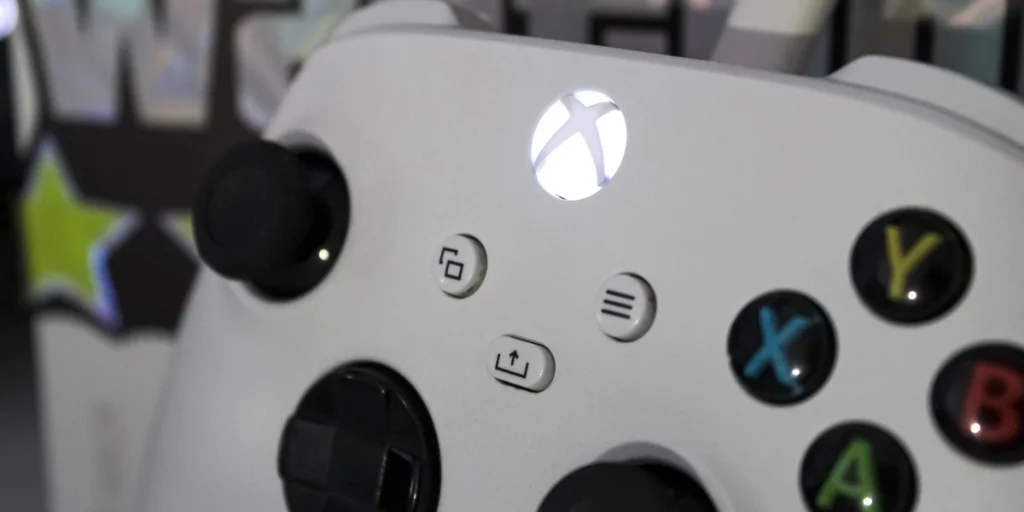
Xbox Series S offers a compact, digital-only entry into current-gen gaming at 1440p targets, while tight built-in SSD space fills up quickly with large modern installs. Buyers get better value by factoring storage expansion and digital-only game habits into their total setup budget.

Xbox Series S gives buyers a compact, digital-only path into current-generation console gaming with 1440p target performance and up to 120fps support, while its tight built-in storage fills up fast once large game installs stack up. For budget-minded shoppers and subscription players, the smaller chassis and lower upfront cost make it an easy entry point compared with larger flagship consoles. Still, modern game sizes mean storage planning and digital-only trade-offs shape the real-world value right out of the box.
Tight SSD space forces quick trade-offs on big installs
Base Xbox Series S models ship with 512GB of custom NVMe SSD storage, and system software takes a chunk before you install a single game. Coverage from Tech Play Grid’s Xbox Series S review and PCMag’s Xbox storage upgrade guide notes how quickly multi-gigabyte shooters and open-world games crowd that drive. Buyers who rotate through several heavy titles at once can run out of room within weeks.
You can expand internal-speed storage using official Storage Expansion Cards that slot into the back of the console, alongside cheaper USB external drives for archiving older or less-played games. Factoring an expansion card into your total budget avoids paying a low console price only to spend extra on storage right away. Players who stick to one or two large games at a time manage fine without extra hardware.
Deleting and re-downloading games works smoothly when you have fast broadband, though big patches can still interrupt spontaneous sessions. Deciding whether you prefer keeping a big library installed locally or swapping titles as you go tells you how urgent storage expansion is. Checking storage math early prevents annoying cleanups later.


Compact hardware and 1440p targets suit smaller setups
At roughly 60% smaller than an Xbox Series X, the Series S tucks easily into dorm rooms, secondary living spaces, backpacks, or tight media shelves. Its custom AMD Zen 2 CPU and RDNA 2 GPU target 1440p resolution with upscaling to 4K and fast NVMe load times. That balance delivers snappy loading and Quick Resume switching without demanding a massive tower under the TV.
On a 1080p or 1440p monitor or secondary TV, the Series S looks crisp and responsive without chasing native 4K hardware you may not use. Demanding games sometimes trim resolution or visual effects to hold steady frame rates compared with higher-tier consoles. Even with those compromises, everyday play feels fast and modern.
Portability also stands out if you move your console between home, a partner’s place, or weekend trips. A single HDMI cable and power cord get you set up quickly on almost any screen. For smaller spaces or casual rooms, the footprint is a clear win.
Digital-only design shapes game ownership and costs
Because the Xbox Series S has no optical disc drive, every game comes through digital storefronts, subscription catalogs, or cloud streaming. Going all-digital streamlines setup and keeps game access tied to your account. At the same time, it closes off physical disc sales, lending, and used-game bargains.
If you already rely on digital downloads or a game subscription library, a disc-free console fits naturally into how you buy and play. Buyers who own shelves of physical discs or hunt cheap used copies lose that flexibility on a Series S. Weighing game-buying habits before checkout keeps expectations clear.
Digital pricing and sales vary across stores, whereas physical discs let you shop second-hand deals or trade in finished games. Think about how you actually acquire games over a full year rather than just on day one. That habit check clarifies whether all-digital saves money or limits options.
Buyers should weigh budget entry against long-term storage
Xbox Series S makes the most sense for shoppers who want affordable current-gen access, compact size, and fast loading for digital or subscription play. Players who demand native 4K visuals, hold big physical libraries, or hate managing storage often get more breathing room from higher-tier consoles. Matching the machine to your habits avoids overpaying for unused power or under-buying storage.
Before buying, list the biggest games you plan to install and check whether a 512GB or 1TB model fits your rotation. Add up the cost of any expansion card you might need so your real total stays inside budget. A quick reality check up front makes the choice straightforward.
When paired with the right screen and realistic expectations around game file sizes, the Series S delivers strong value for its class. You get quick loads and modern features in a tiny box without paying flagship prices. That practical balance explains why it remains a staple budget pick.